INDUSTRY:
WELLNESS
YEAR:
2025
TIMELINE:
3.5 MONTHS
EXPERIENCE:
PRODUCT, UX/UI
overview.
Muse is a digital mindfulness platform designed to support presence and reflection in everyday moments. Over the course of a semester-long studio, I focused on the full design process, from initial concept and creative research to prototyping and user testing, of Muse. I conducted interviews, gathered user feedback, and iterated on interactive prototypes to create an experience that is lightweight, calming, and easily accessible, even during offline moments like a subway commute.
challenge.
I wanted to create a virtual wellness experience that users can easily access through an app, even when offline, like during a subway commute without Wi-Fi or data. It is designed for individuals who do not have a lot of time or struggle to incorporate mindfulness into their routines. The goal is to help users feel refreshed and realigned with their intentions, without requiring a significant time investment or a complete digital detox.
Research Questions
What aspects of mindfulness practice can be meaningfully supported or enhanced through technology?
How can digital experiences be intentionally designed to promote mindfulness and support overall well-being?
conceptualization.
User Research
I created and conducted a survey to see what qualities and environments people associated with peace, calm, and mindfulness. I also surveyed people on their reaction to the user interface of various apps.
Random Prompts
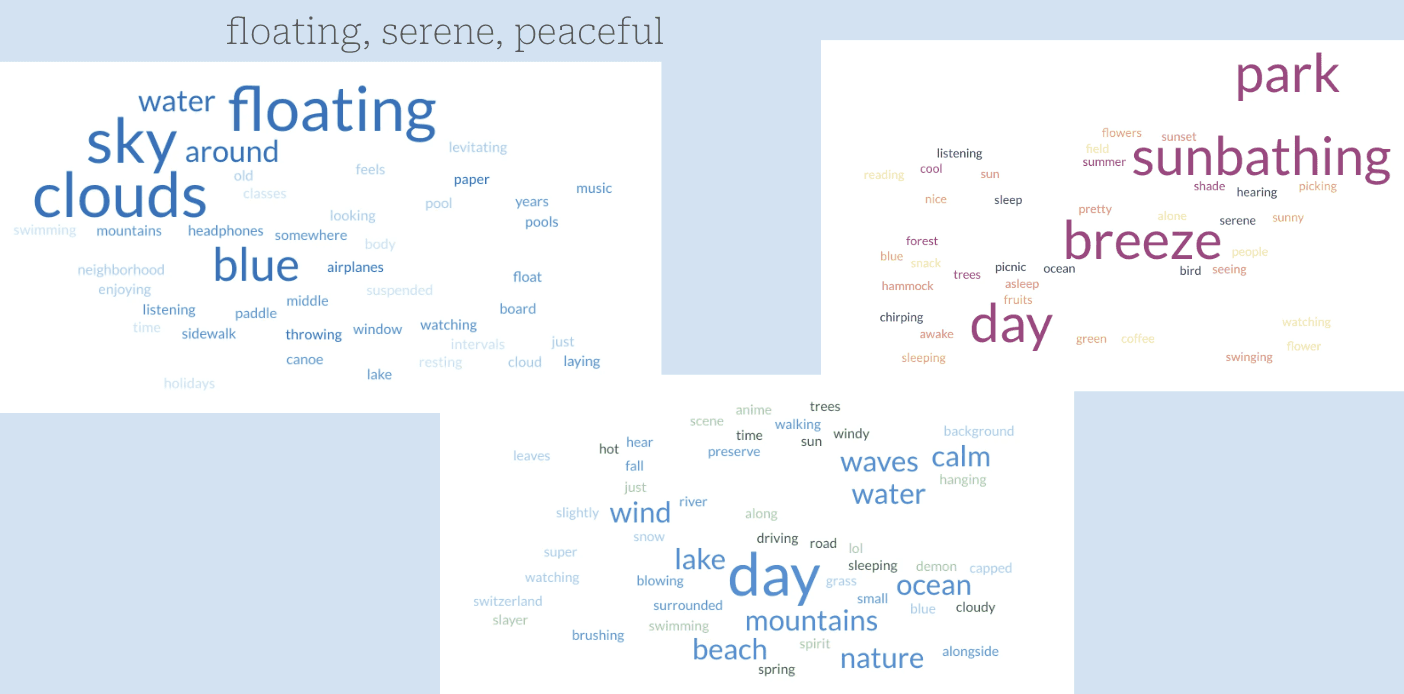
For my first survey, I used a random prompt format and asked people to stream-of-conscious write about things they associated with words like floating, serene, peaceful. I gathered the results and created word clouds to find the most common associations.
Picture Cards
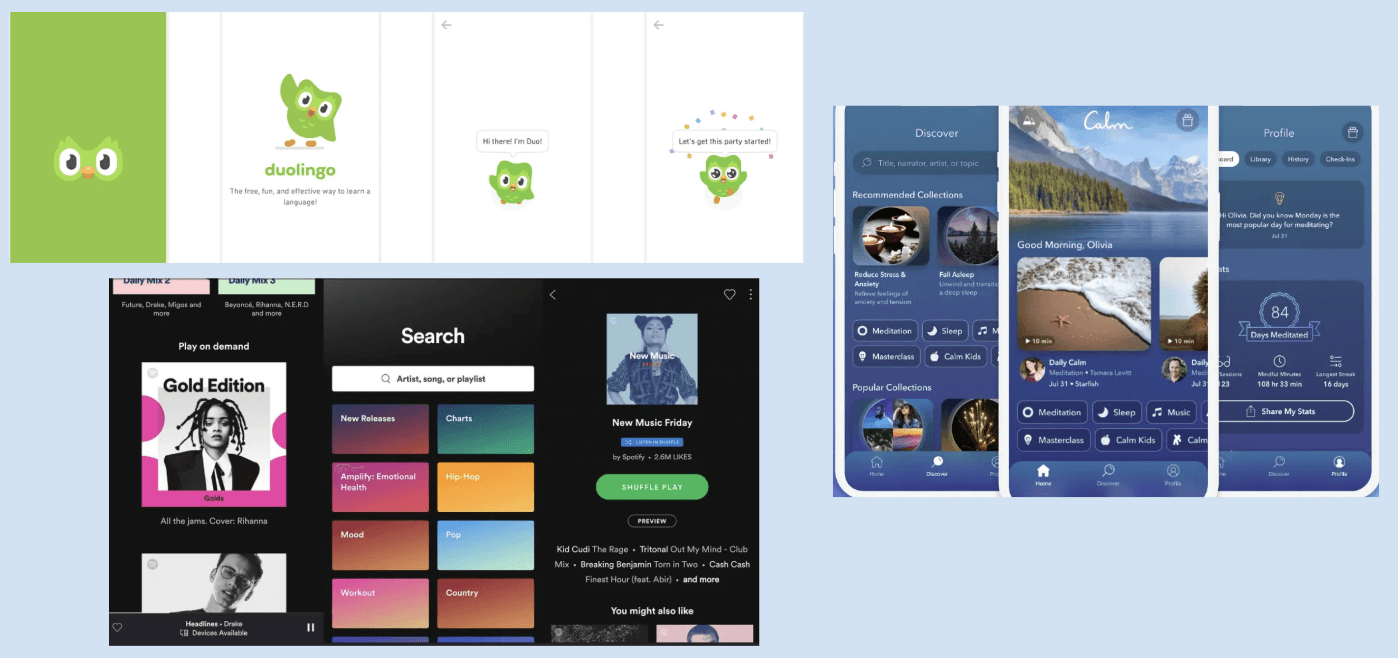
For my second survey, I used picture cards of various apps’ user interfaces and asked people how they felt upon seeing the design.
User Journey and Low-Fidelity Wireframe
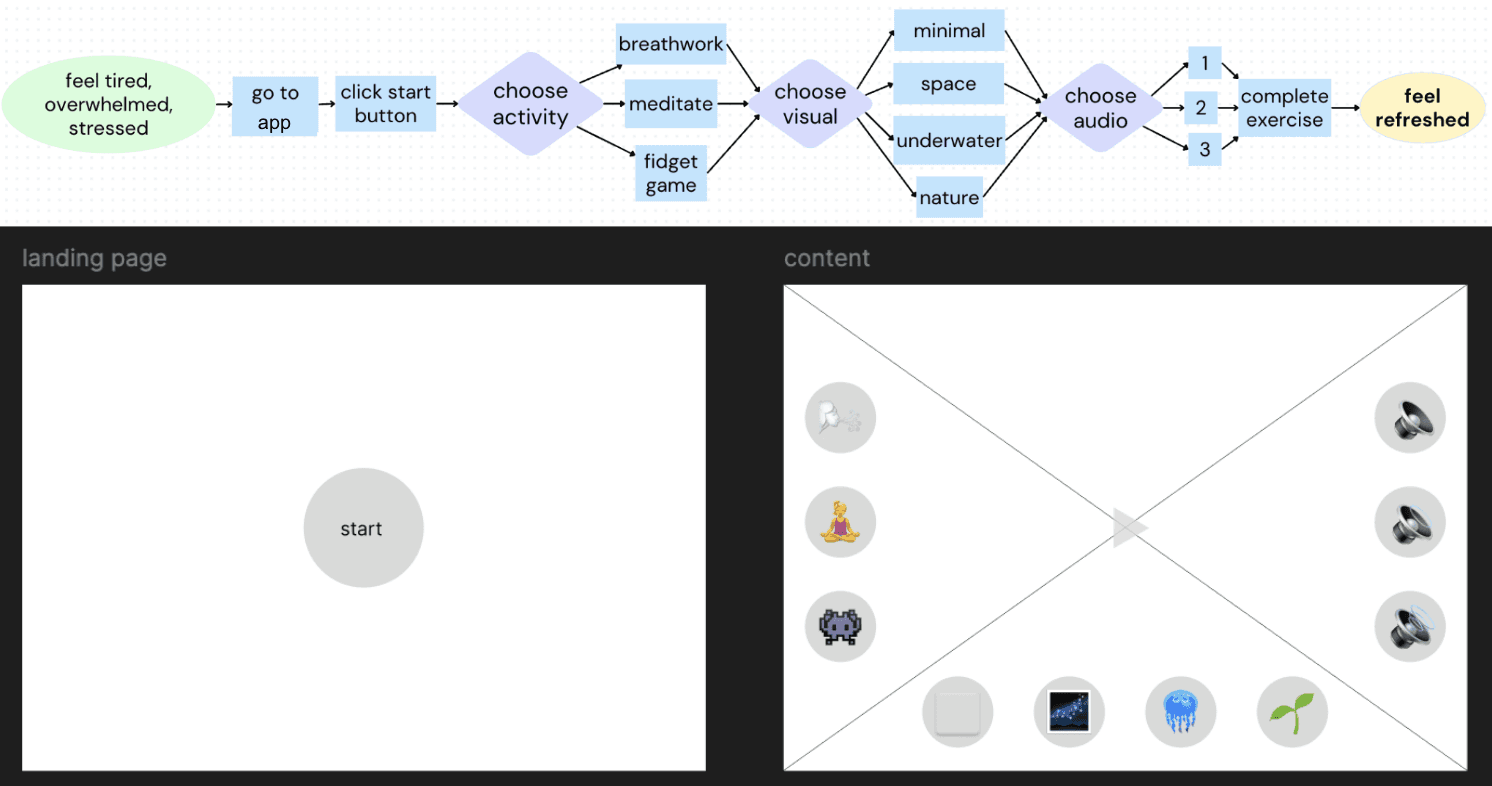
This user flow and wireframe illustrate how Muse guides users from a state of stress to a sense of calm through simple, customizable choices. After landing on the start screen, users select from activities (meditation, breathwork, or a fidget game), visual themes, and audio options to shape their mindfulness experience. The interface is designed to be intuitive and low-effort, with clear side-panel buttons and minimal distractions. A suggested combinations feature was also considered to help users who may not know where to begin.
prototyping.
Prototype 1: Wizard of Oz Paper Prototype
For my first prototype, I developed a Wizard-of-Oz paper prototype using hand-drawn picture cards. During user testing, participants interacted with the interface by tapping on illustrated buttons, and I manually displayed the corresponding cards based on their selections. The landing screen included two versions: one with a “Start” button and another with a “Begin” button, allowing me to explore whether specific language could better prime users for a mindful experience. To simulate the introductory breathing exercise, I created two cards representing a single inhale–exhale cycle. Users were asked to imagine the circle expanding with each inhale and contracting with each exhale, encouraging a brief moment of focused, guided breathing.
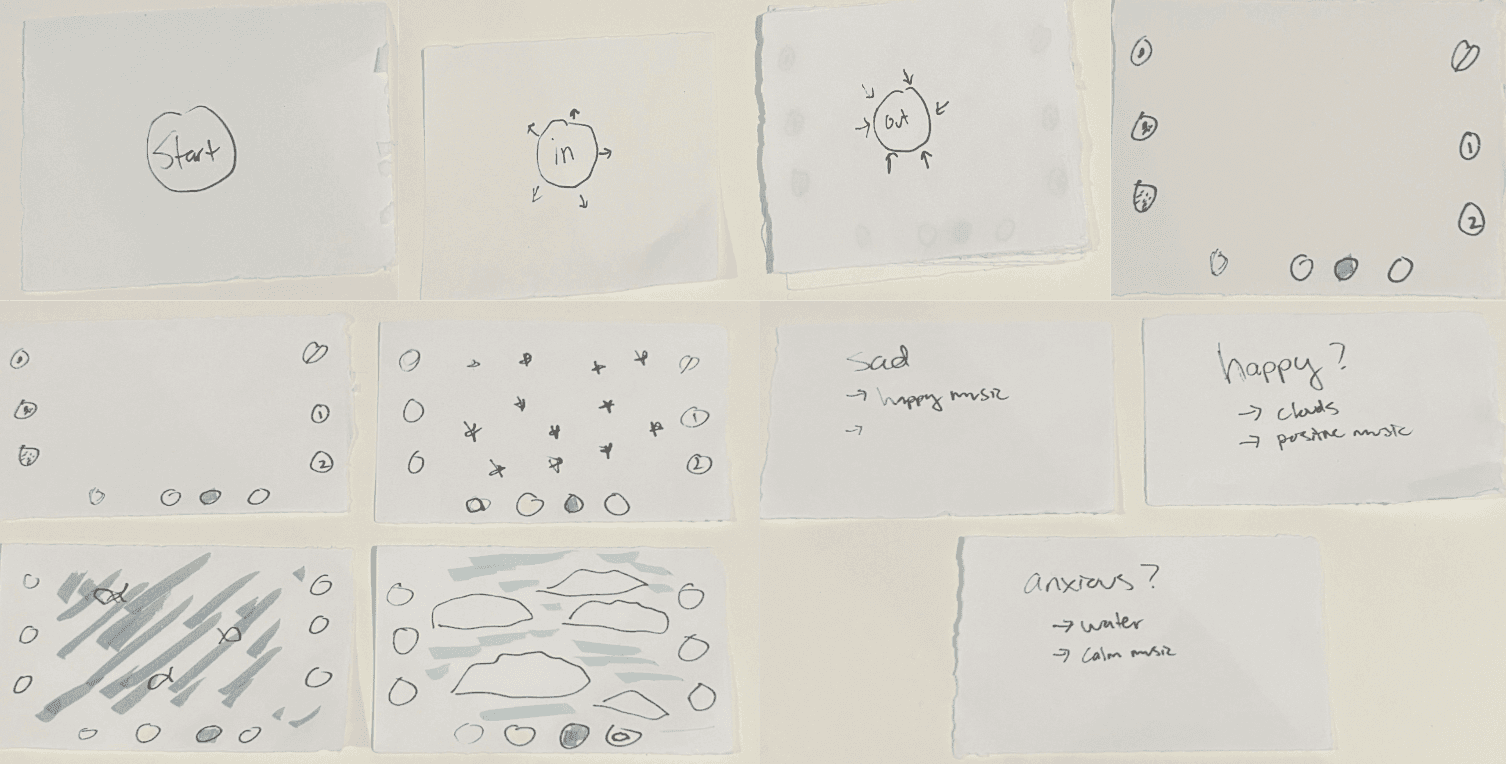
Following the loading screen, the app launches with the most minimal default settings: a meditation activity, a basic visual display, and no accompanying sound. Users can customize their experience by selecting from clearly segmented settings.
Left Panel (Activity Selection): Users can choose between three core activities — meditation, breathwork, and a simple fidget interaction.
Bottom Panel (Visual Themes): Four visual themes are available — minimal, space, underwater, and clouds — allowing users to select an aesthetic that suits their mood or preference.
Right Panel (Audio Options): Audio settings include no sound, calm background music, or an uplifting musical track.
To support users who may not know where to begin, I also wanted to incorporate a built-in guide. This feature would suggest combinations of activities, visuals, and audio based on mood, offering a gentle entry point for more personalized and effective mindfulness sessions.
This interface structure offers an intuitive, low-effort way for users to tailor their mindfulness experience based on personal needs and context.
Prototype 2: Low Fidelity Interactive Interface
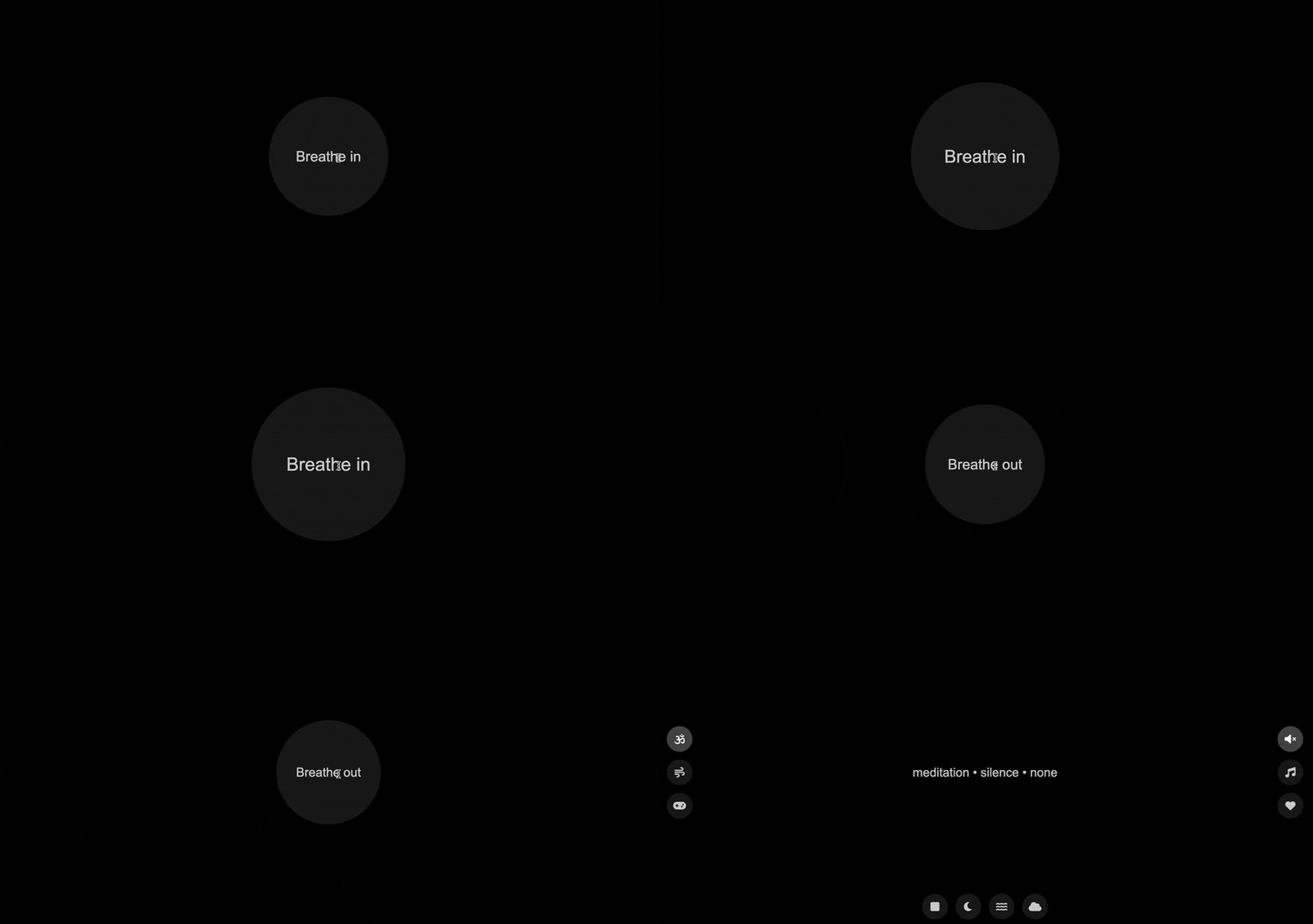
For my second prototype, I developed a low-fidelity HTML version of the interface to test the core functionality and flow of the product. I chose to include a “Start” button to encourage a sense of intentionality at the beginning of each session. The prototype featured a single round of guided breathing on the loading screen, which I plan to expand to three rounds in the final version based on user feedback. Testers responded positively to this addition, noting that the breathing element helped them ease into a more mindful state. While this version did not yet include full visual themes, users appreciated the minimalist interface, stating that its simplicity felt calming and unobtrusive, qualities that supported their ability to focus and engage with the experience.
user testing.
During user testing of the low fidelity prototypes, some participants preferred bypassing the start button and entering directly into the breathing exercise, noting that this approach felt more seamless and immersive, but others felt that the start button helped them get into the mindset. Several users suggested that extending the loading page to include multiple rounds of breathing would better support transitioning into a mindful state. While some participants recommended adding instructions or onboarding, I chose to avoid instructional overlays to maintain a minimal, non-didactic experience that reduces cognitive load. Additional feedback included incorporating a visual timer or progress indicator and offering a guided mode or randomized “quick-start” feature to support users who may feel unsure about how to begin.
final product.
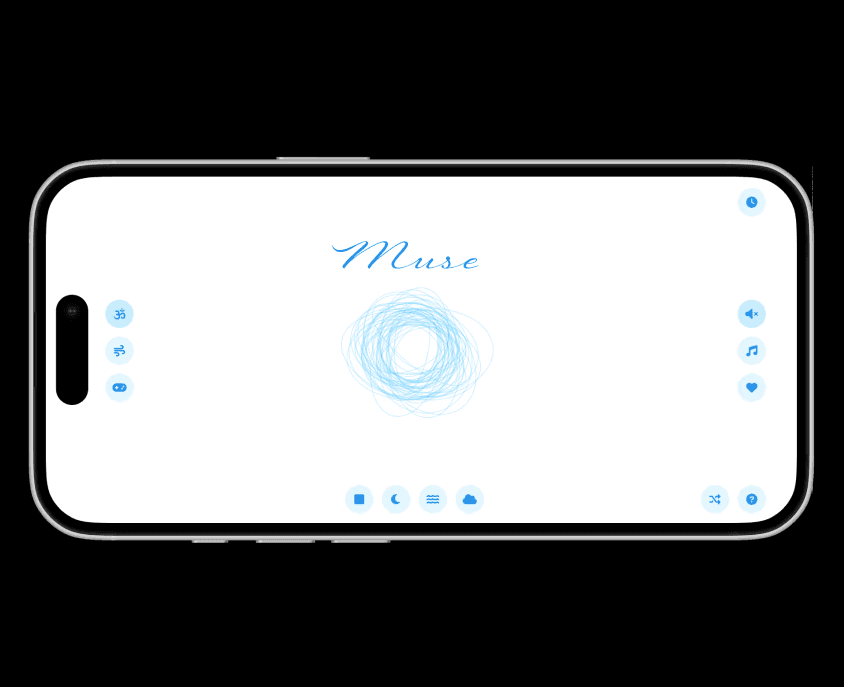
Muse is a lightweight digital mindfulness app designed to ease users into calm through simple, customizable settings. The experience begins with a start button and a three-breath loading screen to encourage intentionality. The default mode includes a meditation activity, blank space visuals, and no audio. Users can customize their session with four visual themes (blank space, outer space, underwater, or sky), three activity options (meditation, breathwork, fidget “game”), and three audio options (no audio, uplifting, calming). A randomization button offers a quick-start experience. Breathwork is supported with a visual graphic that guides users through each phase with gentle, directional animations.